

How to Change Your Account Details on Vivint Host
At Vivint Host, your account is the control center for everything-managing domains, cloud hosting services, support tickets, and invoices. Keeping your details up to date ensures smooth access and security.
If you need to update your personal information, payment methods, or contact details, follow these simple steps:
Step 1: Log In to Your Vivint Host Account
Start by signing in to your Vivint Host dashboard using your credentials. This is where you’ll manage all aspects of your hosting services.
Step 2: Navigate to Account Settings
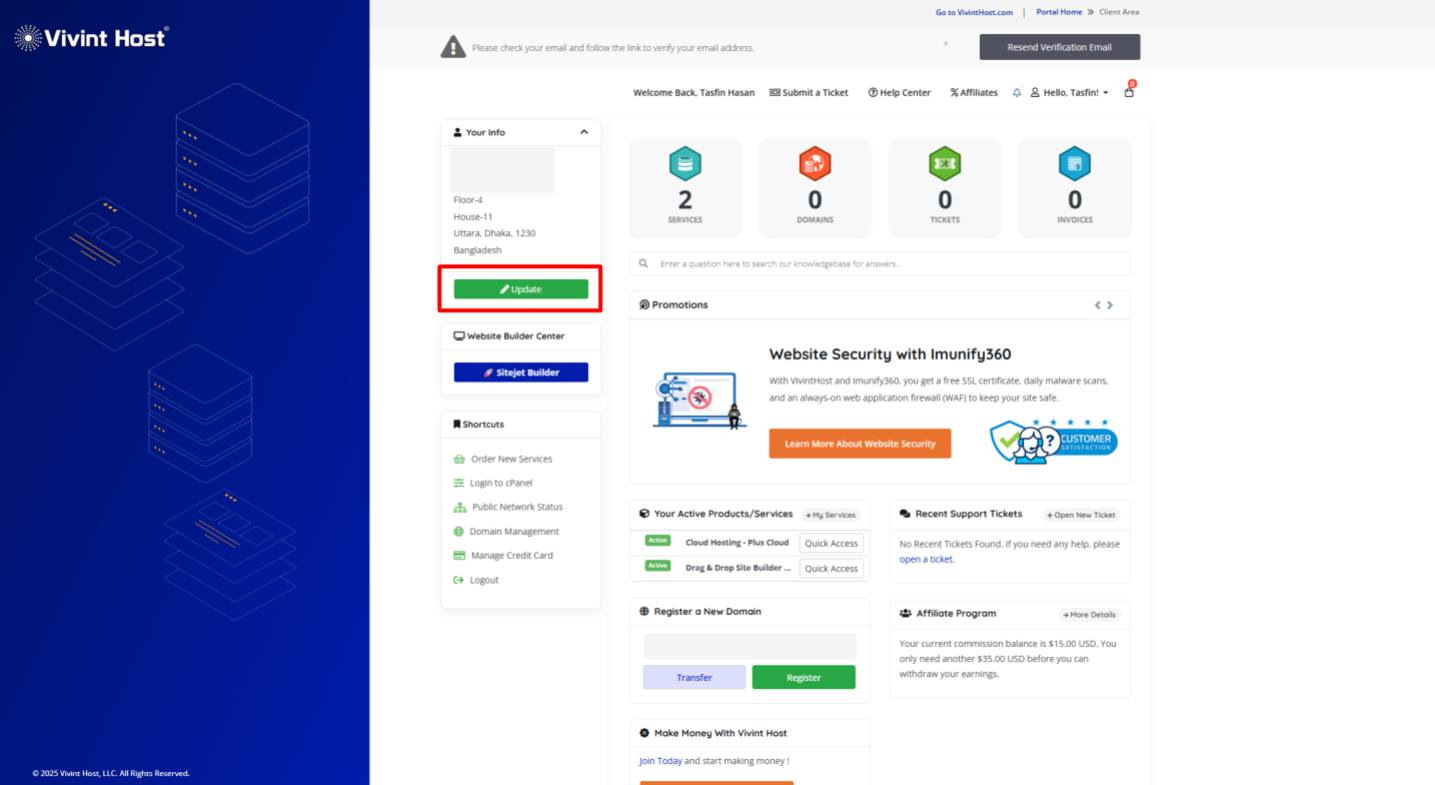
Once logged in, you’ll see two quick ways to update your details:
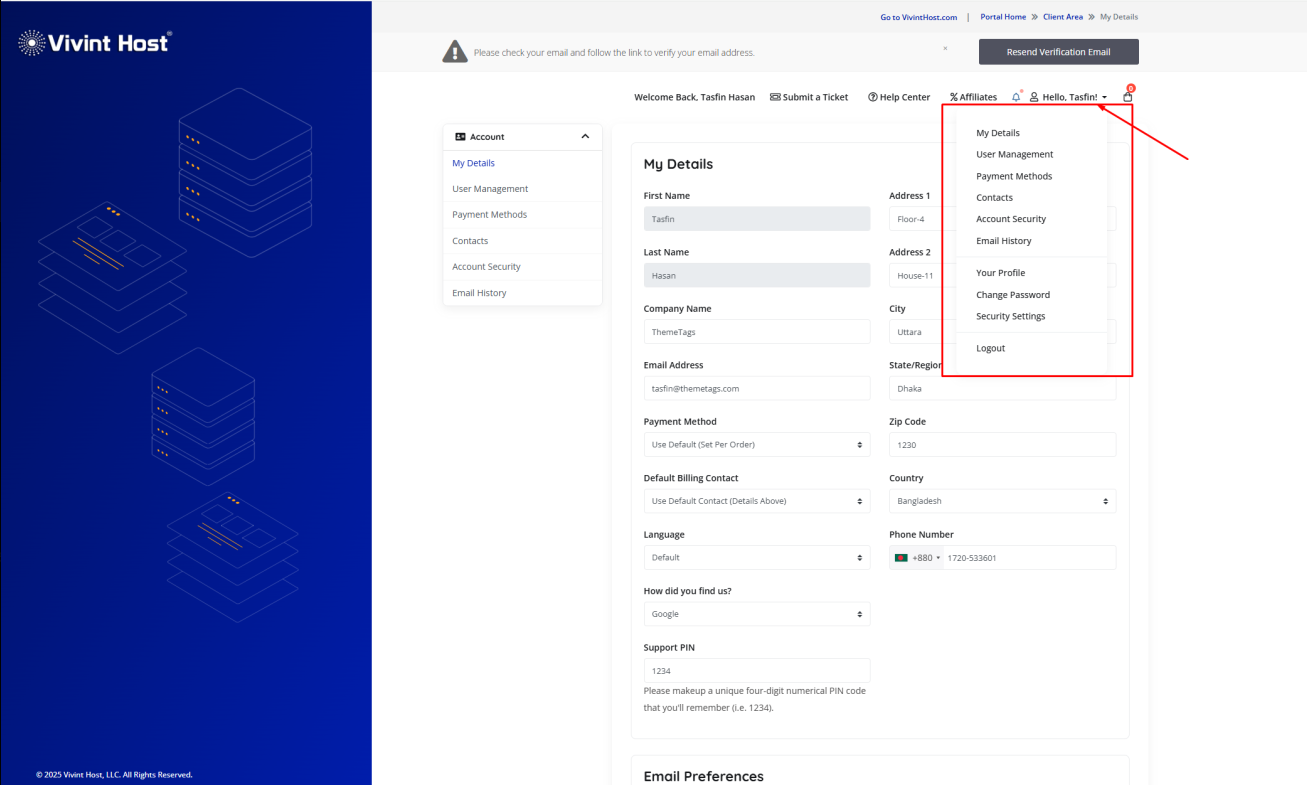
- Click the dropdown arrow in the top-right corner of the dashboard.
- Or, look for the "Update Information" button (usually highlighted for visibility) under your account summary.
Step 3: Modify Your Account Details
From here, you can edit:
- Billing & Contact Info – Update your address, phone number, or payment method.
- Login Credentials – Change your password for added security.
Important Note:
For security reasons, certain changes-like updating your account name or registered email address-require verification. If you need to make these changes, simply submit a support ticket, and our team will assist you promptly.
Need More Help?
If you encounter any issues or have questions along the way, don’t hesitate to reach out. Our expert support team is available 24/7 to provide fast, reliable assistance whenever you need it. We're always here to help - no matter the time, no matter the problem.