

How To Cancel A Product Or Service
At Vivint Host, we work hard to deliver fast, secure, and reliable hosting services backed by 24/7 expert support. If you're considering cancelling a product or service, we’re genuinely sorry to see you go. Our team is always here to help - whether it’s technical concerns, billing questions, or feedback that could improve your experience.
That said, if you’ve decided to move forward with cancellation, here’s how to properly request it from your Vivint Host client account.
Things To Know Before Cancelling
Before you proceed, please take a moment to review our Refund and Payment Policy to understand your eligibility for any refunds or billing adjustments.
Steps To Cancel a Product or Hosting Service
To cancel any active product or hosting service linked to your account, follow the instructions below:
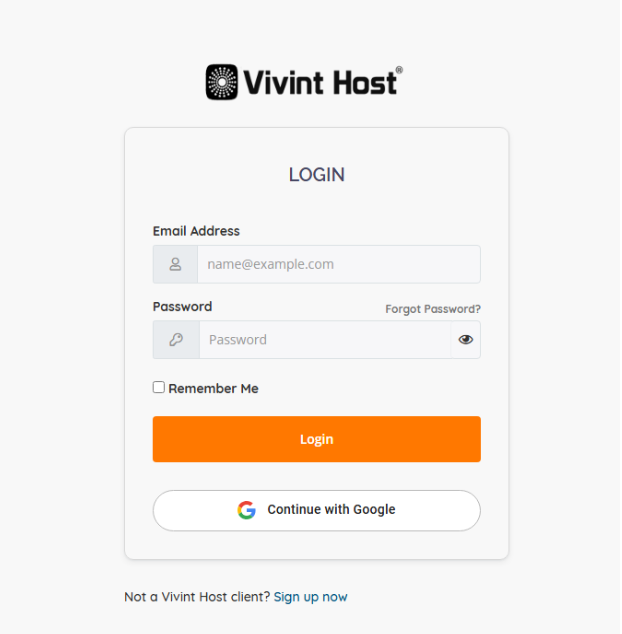
1. Login to Your Vivint Host Client Area
Start by logging into your Vivint Host Customer Area.
2. Navigate to ‘My Services’
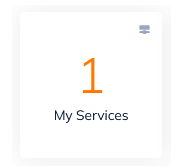
Once you're inside the dashboard, click on ‘My Services’ to view all your active products and hosting services.
3. Select the Service You Want to Cancel
Locate the specific product or service you want to cancel and click on it to open the detailed service view.

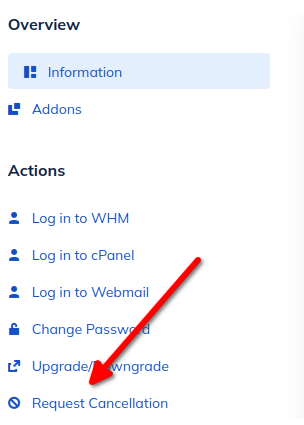
4. Choose ‘Request Cancellation’ from the Sidebar
On the left-hand panel under the ‘Actions’ section, click on ‘Request Cancellation’.
5. Fill Out the Cancellation Form
A short cancellation form will appear. Complete the fields as outlined below:
Reason for Cancellation: Briefly explain your reason (e.g., project completed, switching providers, no longer needed).
Cancel Domain Renewal: If your service includes a domain name, you can check this box to stop the domain from auto-renewing. Leave it unchecked if you want to keep the domain.
Cancellation Type:
- Immediate: Ends the service right away and deletes associated data.
- End of Billing Period: Keeps your service active until the current billing cycle ends.
6. Submit Your Cancellation Request
Once the form is filled out, click ‘Request Cancellation’ to finalize your request.
Important Notice
Once your cancellation request is submitted and processed, your service will be terminated based on your selected option. This will result in permanent deletion of any associated data or website files.
If you change your mind, contact our support team as soon as possible. Please note that while we’ll do our best to assist, we can’t always guarantee recovery of your data. Restoration may incur additional fees depending on backup availability.
Requesting a Refund
If your service was activated within the past 30 days and you're eligible for a refund, kindly submit a refund request via our support ticket system here. Refunds are issued based on our Refund and Payment Policy.
Important Notes:
-
Data Loss Warning: Once processed, your service and all associated files will be permanently deleted based on your chosen cancellation type. If you change your mind, contact us immediately-though we cannot guarantee data recovery and may charge for backup restoration.
-
Refund Eligibility: If your account is under 30 days old and you’d like a refund, submit a refund request via support ticket. All refunds follow our Payment Policy.
Need Help?
We’re here 24/7. If anything is unclear or you need assistance with your cancellation or next steps, please reach out to our support team directly. We’ll be happy to assist you.