

How to Create and Manage SSH Keys in cPanel
Setting up SSH (Secure Shell) keys is an essential step if you want secure, encrypted access to your hosting environment. Whether you're connecting through the terminal, Git, or other development tools, SSH keys are a must. At Vivint Host, we make cloud hosting secure and developer-friendly. In this guide, we’ll walk you through how to generate SSH keys directly from your cPanel account.
There are two main ways to create SSH keys:
- Generate SSH keys directly in cPanel (Recommended for most users)
- Create SSH keys on your local machine and import them into cPanel (Ideal for users using tools like PuTTY or Terminal)
Step-by-Step: Generate SSH Keys in cPanel
Step 1: Log into Your cPanel Account
Start by accessing your cPanel dashboard using your Vivint Host credentials.
Step 2: Locate the "SSH Access" Tool
Once you’re inside cPanel, scroll or search for the SSH Access icon. Click on it to proceed.
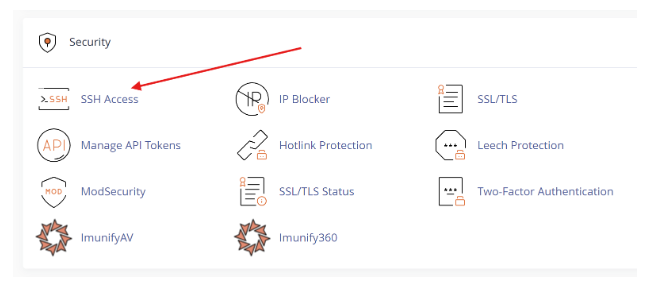
Step 3: Open SSH Key Management
On the SSH Access page, click on “Manage SSH Keys”. This is where you can create or import key pairs.
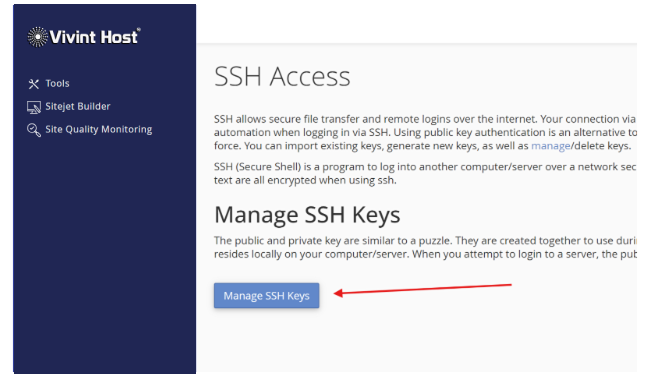
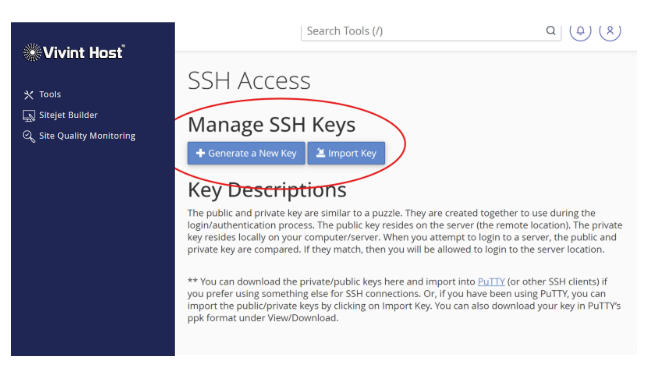
Step 4: Generate a New SSH Key
Click the “Generate a New Key” button.
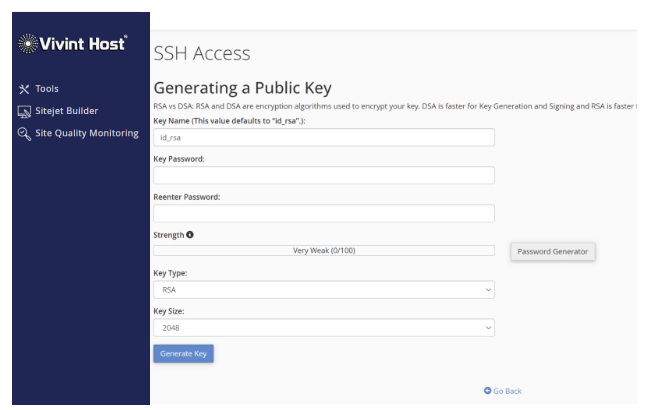
- Choose a strong Key Name (or leave it as default).
- Use the built-in Password Generator to create a strong passphrase (optional but recommended).
- Confirm the passphrase if you set one.
- Click Generate Key to create your SSH key pair.
We recommend using the password generator for strong random passwords.
Step 5: Authorize Your Key
After the key is generated, it won’t be active yet. You need to authorize it.
- Click “Manage” next to your new public key.
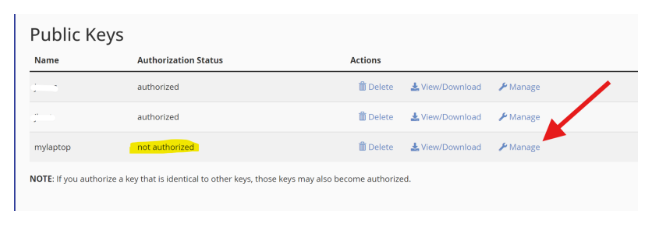
On the next screen, click “Authorize” to enable it.
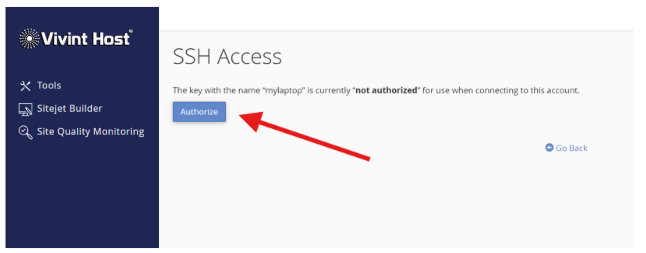
That’s it! Your SSH key is now ready for secure access.
Need help? Vivint Host provides 24/7 expert support - reach out anytime, we’re here to assist.