

How to Secure Your Email Account (2FA, Strong Passwords)
These days, just a username and password won’t cut it. Hackers are everywhere-stealing data, spreading malware, and tricking people with fake emails. If you’re not careful, someone could get into your accounts.
That’s why at Vivint Host, we always tell our customers: Turn on two-factor authentication (2FA) everywhere you can-especially for cPanel, WHM, and your Vivint Host account. It’s the best way to lock things down.
What’s Two-Factor Authentication (2FA)?
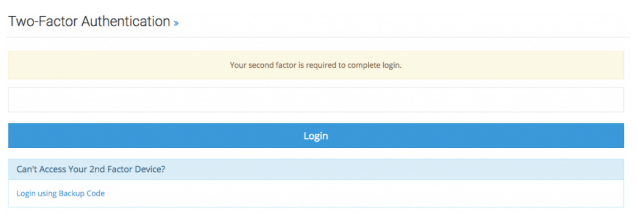
2FA is like a second lock on your door. Even if someone gets your password, they still can’t get in without a special code from your phone.
Here’s how it works:
- You log in with your username and password (like usual).
- Then, you’ll need a 6-digit code from an app like Google Authenticator.
- The code changes every 30 seconds, so nobody can reuse it.
When you set up 2FA, you’ll also get a backup code. Write this down and keep it safe-don’t save it on your computer. If you lose your phone, this code is your only way back in.
How to Turn On 2FA in cPanel
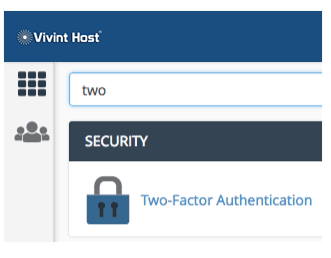
Log in to cPanel and find Two-Factor Authentication.
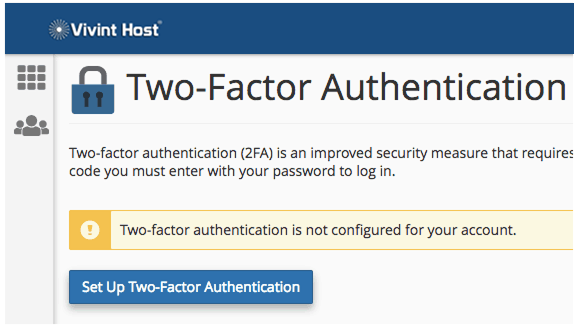
- Click Set Up Two-Factor Authentication.
- Get an authenticator app on your phone-we like Google Authenticator (works on Android & iPhone).
Scan the QR code (or type in the key manually).
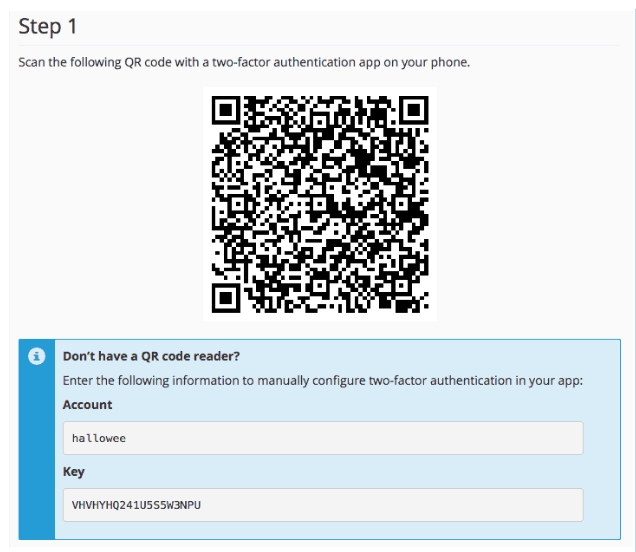
Enter the 6-digit code from the app to finish setup.
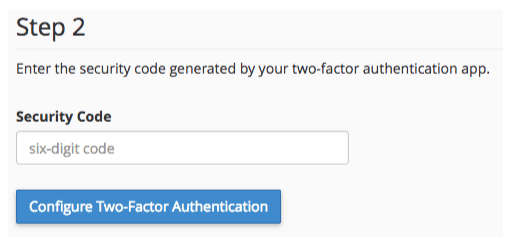
Now, every time you log in to cPanel, you’ll need your password and the code from your phone.
How to Turn On 2FA in Web Host Manager (WHM)
If you’re a reseller or VPS user, you should also protect WHM:
- Log in to WHM and go to Two-Factor Authentication.
(Image: WHM 2FA option) - Click Manage My Account > Set Up Two-Factor Authentication.
- Follow the same steps as cPanel-scan the QR code, enter the 6-digit code, and save your backup key.
If you manage clients, you can control their 2FA settings under Manage Users.
How to Turn On 2FA in Your Vivint Host Account
Your Vivint Host account holds your domains, hosting, and billing info-so keeping it safe is a must.
- Log in and go to Security Settings.
- Click Enable Two-Factor Authentication.
- Scan the QR code with your authenticator app (or enter the key manually).
- Type in the 6-digit code to confirm.
- Save your backup code somewhere safe (not on your computer!).
Now, logging in will always ask for your password + phone code.
Bottom Line
Using 2FA is one of the easiest ways to stop hackers. At Vivint Host, we take security seriously-and you should too. Set it up today and sleep better knowing your accounts are locked tight. Need help? Our support team is here 24/7.